

Turn off data access events for your application
Data access events are logged each time your application accesses district data. In some cases, these events create noise that isn't useful for your integration — for example, when access patterns are expected and high-volume.
Turning off data access events at the application level reduces unnecessary log volume and prevents districts from being overwhelmed by event notifications that don't require action. When you apply this setting, it takes effect across all integrations linked to your application. Districts cannot override it at the integration level.
Important: This setting applies to all integrations linked to your application. Districts will not be able to re-enable data access events at the integration level while this setting is on.
Turn off data access events
-
Go to App Settings.
-
Go to Delivery Config > Advanced Settings.
-
Select Disable Data Access Events.
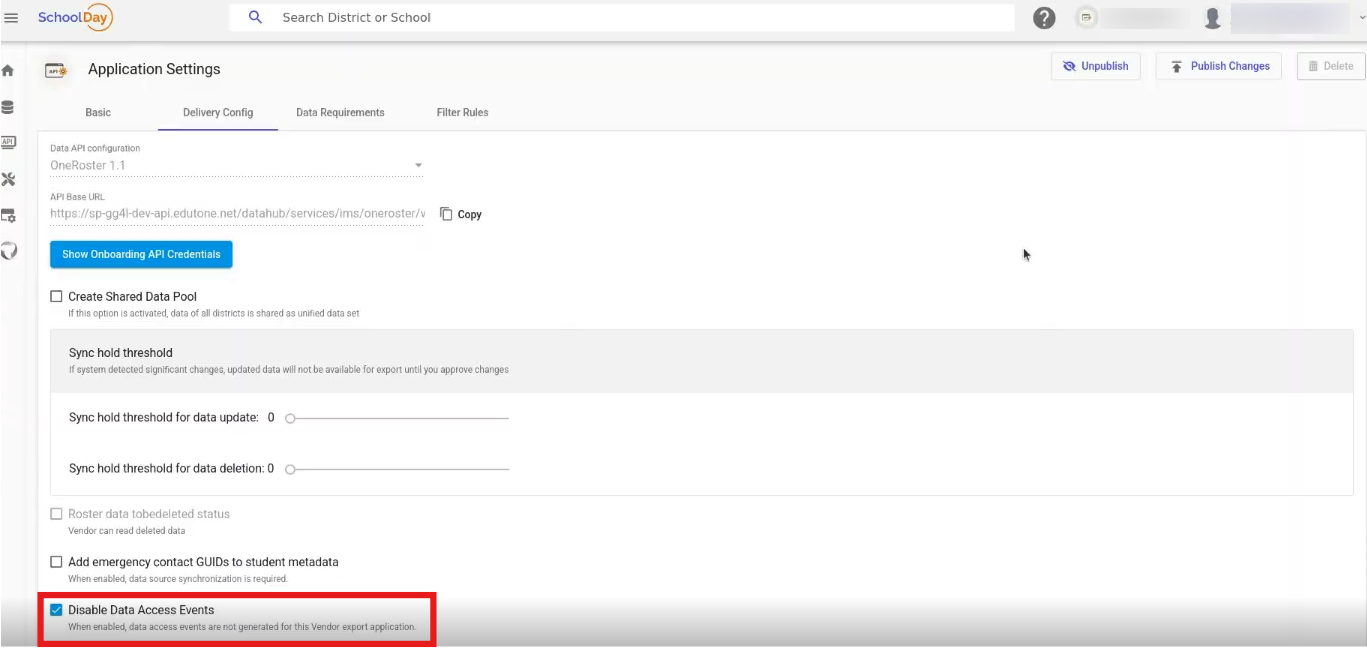
-
Click Save & Publish.
Districts will regain the ability to control this setting at the integration level.
Updated 6 months ago